Modrinth ↗ CurseForge ↗
Animated Frames

Bienvenid@ a Animated Frames

Welcome to Animated Frames

Mod y plugin de Minecraft para reproducir GIFs, vídeos MP4, imágenes PNG/JPG directamente en tu pantalla o en la de tus jugadores, sin salir del juego.

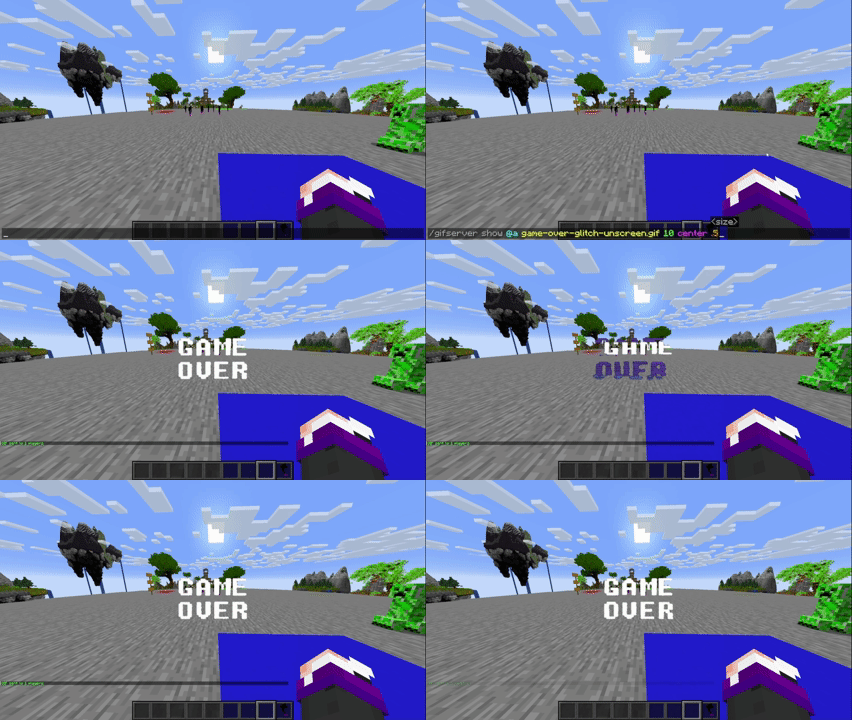
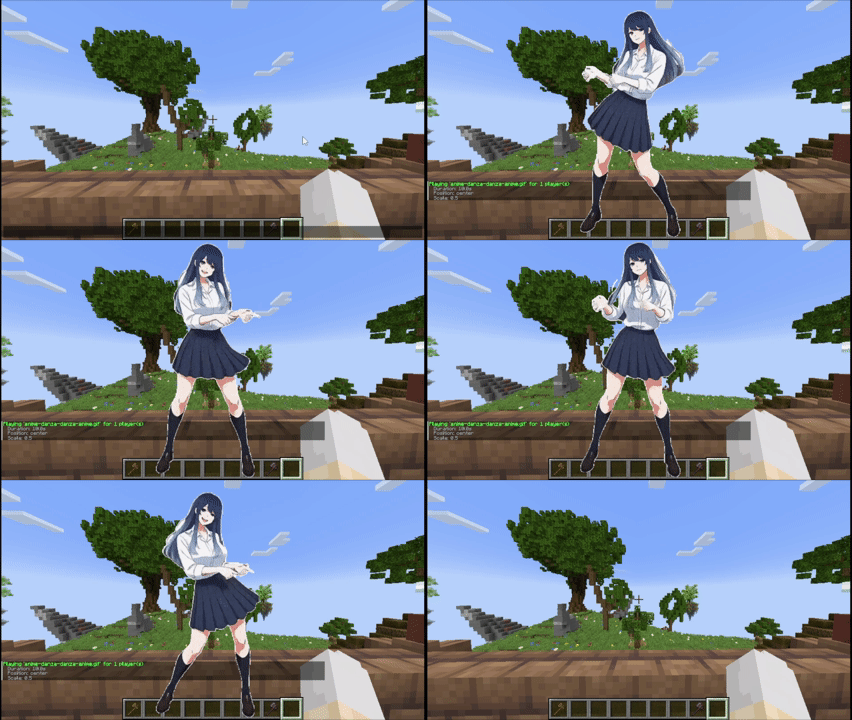
Minecraft mod and plugin to play GIFs, MP4 videos, PNG/JPG images directly on your screen or your players', without leaving the game.

Mod & Plugin Fabric · Forge · NeoForge Bukkit · Spigot · Paper · Purpur 1.20.1 · 1.21 · 1.21.1 · 1.21.4

Novedades en v1.6.2What's new in v1.6.2

Esta versión trae mejoras importantes en reproducción simultánea, escalado de interfaz y estabilidad interna.

This version brings important improvements in simultaneous playback, interface scaling, and internal stability.

🆕
Reproducción simultánea de múltiples medias Simultaneous multi-media playback Ahora es posible reproducir varias medias al mismo tiempo en distintas posiciones de pantalla. Cada posición puede tener su propio contenido activo de forma independiente. Multiple media can now play simultaneously at different screen positions. Each position can have its own active content independently.
🔧
Tamaño de media adaptado al GUI Scale del cliente Media size adapts to client's GUI Scale El tamaño del contenido ahora se adapta automáticamente al GUI Scale configurado por el jugador, manteniendo proporciones correctas a cualquier resolución. Content size now automatically adapts to the client's GUI Scale, keeping correct proportions at any resolution.
🔧
Refactorización interna de rendering y recursos Internal rendering and resource refactor Se ha realizado una refactorización interna del código de renderizado y gestión de recursos para mejorar la estabilidad general del mod. An internal refactor of the rendering and resource management code has been done to improve overall mod stability.
🧩
Compatible con Minecraft 1.21.4 — Fabric y NeoForge Compatible with Minecraft 1.21.4 — Fabric and NeoForge v1.6.2 añade soporte oficial para Minecraft 1.21.4 en los loaders Fabric y NeoForge. v1.6.2 adds official support for Minecraft 1.21.4 on Fabric and NeoForge loaders.

¿Qué es Animated Frames?What is Animated Frames?

Animated Frames es un mod/plugin para Minecraft que permite reproducir contenido multimedia (GIFs animados, vídeos MP4, imágenes estáticas PNG y JPG) directamente en la pantalla del jugador usando una interfaz de comandos sencilla. Puede usarse tanto en modo singleplayer como en servidores.

Animated Frames is a Minecraft mod/plugin that allows playing multimedia content (animated GIFs, MP4 videos, static PNG and JPG images) directly on the player's screen using a simple command interface. It works in both singleplayer and server mode.

ℹ️
Requisito crítico de dependencia Critical dependency requirement Este mod depende de WaterMedia. La versión requerida es estrictamente la 2.1.37. Usar cualquier otra versión puede causar fallos o comportamientos inesperados. This mod depends on WaterMedia. The required version is strictly 2.1.37. Using any other version may cause crashes or unexpected behavior.

📦 DescargasDownloads

El mod y el plugin (.jar) están disponibles en las mismas plataformas. Elige la que prefieras:

The mod and plugin (.jar) are available on the same platforms. Choose your preferred one:

💡
El archivo Plugin (.jar) para servidores Bukkit/Spigot/Paper/Purpur se encuentra dentro de esos mismos enlaces, junto a las versiones del mod. No hay una descarga separada. The Plugin (.jar) file for Bukkit/Spigot/Paper/Purpur servers is found within those same links, alongside the mod versions. There is no separate download.

🧩 CompatibilidadCompatibility

Animated Frames soporta múltiples versiones de Minecraft y loaders. A continuación se detalla la compatibilidad oficial:

Animated Frames supports multiple Minecraft versions and loaders. Below is the official compatibility:

Minecraft 1.20.1
🔵 Fabric 🔶 Forge
Minecraft 1.21
🔵 Fabric 🟣 NeoForge
Minecraft 1.21.1
🔵 Fabric 🟣 NeoForge
Minecraft 1.21.4
🔵 Fabric 🟣 NeoForge
Servidor (Plugin)
Server (Plugin)
✅ Bukkit ✅ Spigot ✅ Paper ✅ Purpur
⚠️
Dependencia WaterMedia 2.1.37 obligatoria WaterMedia 2.1.37 mandatory dependency Debes instalar WaterMedia versión 2.1.37 junto al mod. Esta versión es la única compatible y debe coincidir exactamente. Descárgala desde el mismo repositorio del mod. You must install WaterMedia version 2.1.37 alongside the mod. This version is the only compatible one and must match exactly. Download it from the same mod repository.

⚙️ InstalaciónInstallation

📌
El mod debe estar en el cliente Y en el servidor The mod must be on the client AND the server A diferencia de otros mods, Animated Frames requiere estar instalado tanto en el cliente (jugador) como en el servidor (o en su lugar el plugin). Sin él en ambos lados, los comandos no funcionarán correctamente. Unlike other mods, Animated Frames requires being installed on both the client (player) and the server (or the plugin instead). Without it on both sides, commands won't work correctly.

Instalación como Mod (Cliente + Servidor)

Installation as Mod (Client + Server)

1
Descarga el mod e instala el loader
Download the mod and install the loader
Descarga la versión correcta para tu loader (Fabric / Forge / NeoForge) desde Modrinth o CurseForge. Asegúrate de tener el loader correspondiente instalado.
Download the correct version for your loader (Fabric / Forge / NeoForge) from Modrinth or CurseForge. Make sure you have the corresponding loader installed.
2
Instala WaterMedia 2.1.37
Install WaterMedia 2.1.37
Descarga la dependencia WaterMedia 2.1.37 y coloca su .jar en la carpeta mods/ junto al mod principal. Esta versión es obligatoria.
Download the WaterMedia 2.1.37 dependency and place its .jar in the mods/ folder alongside the main mod. This version is mandatory.
3
Coloca ambos .jar en la carpeta mods/
Place both .jar files in the mods/ folder
En el cliente: .minecraft/mods/. En el servidor: mods/ del servidor. Ambos requieren los mismos archivos.
On the client: .minecraft/mods/. On the server: mods/ folder. Both need the same files.
4
Inicia el juego/servidor
Start the game/server
Al iniciar, el mod generará automáticamente la carpeta de configuración. Añade tus archivos media como se indica en la sección siguiente.
On startup, the mod will automatically generate the config folder. Add your media files as described in the next section.

Instalación como Plugin (Servidor)

Installation as Plugin (Server)

1
Descarga el .jar del plugin
Download the plugin .jar
El archivo de plugin está en los mismos enlaces de Modrinth/CurseForge. Busca la descarga etiquetada como "Plugin" o compatible con Bukkit/Paper.
The plugin file is in the same Modrinth/CurseForge links. Look for the download labeled "Plugin" or compatible with Bukkit/Paper.
2
Coloca el .jar en la carpeta plugins/
Place the .jar in the plugins/ folder
Copia el archivo en la carpeta plugins/ de tu servidor Bukkit/Spigot/Paper/Purpur.
Copy the file to the plugins/ folder of your Bukkit/Spigot/Paper/Purpur server.
3
Los jugadores siguen necesitando el mod
Players still need the mod
El plugin en el servidor gestiona los comandos y permisos, pero cada jugador debe tener el mod instalado en su cliente para poder ver el contenido multimedia.
The plugin on the server manages commands and permissions, but each player must have the mod installed on their client to be able to see multimedia content.

🗂️ Archivos MediaMedia Files

El contenido multimedia no se almacena en el servidor. Cada jugador debe tener los archivos en su carpeta local del cliente.

Multimedia content is not stored on the server. Each player must have the files in their local client folder.

📁
Carpeta de media del cliente (obligatoria) Client media folder (mandatory) Todos los archivos multimedia deben estar en la siguiente ruta del cliente. No existe carpeta de media en el servidor. All media files must be in the following client path. There is no media folder on the server.
.minecraft/ ├── config/ │ └── animatedframes/ │ └── media/ ← Aquí van tus archivos │ ├── mi-gif.gif │ ├── video.mp4 │ ├── imagen.png │ └── foto.jpg └── mods/ ├── animated-frames-x.x.x.jar └── watermedia-2.1.37.jar

Formatos soportados

Supported formats

.gif — Animaciones .mp4 — Vídeo .png — Imagen .jpg — Imagen .jpeg — Imagen
Archivos grandes Large files Los archivos de más de 1MB pueden causar un pequeño delay al reproducirse. Se recomienda optimizar los GIFs y vídeos antes de usarlos. Files larger than 1MB may cause a slight delay when playing. It is recommended to optimize GIFs and videos before using them.

⌨️ Comandos de ClienteClient Commands

Estos comandos solo afectan al jugador que los ejecuta. No requieren permisos especiales.

These commands only affect the player who executes them. No special permissions required.

Comando: reproducir archivo Command: play file
/mediac show <archivo> [tiempo] [posición] [escala] [volumen]
Comando: detener reproducción Command: stop playback
/mediac stop
Comando: cambiar idioma del mod Command: change mod language
/mediac lang <es|en>
Comando: listar archivos disponibles Command: list available files
/mediac list — muestra los archivos en tu carpeta media/

Referencia de argumentos

Argument reference

ArgumentoArgument TipoType DescripciónDescription
<archivo> TextoText Nombre del archivo en la carpeta media/ (con extensión) File name in the media/ folder (with extension)
[tiempo] SegundosSeconds Duración de reproducción. Dejar vacío para duración completa. Playback duration. Leave empty for full duration.
[posición] PosiciónPosition Posición en pantalla (ver sección Posiciones) Screen position (see Positions section)
[escala] NúmeroNumber Escala del contenido. 1 = tamaño normal. Content scale. 1 = normal size.
[volumen] 0–1000–100 Volumen para archivos MP4 con audio. 100 = máximo. Volume for MP4 files with audio. 100 = maximum.

🖥️ Comandos de ServidorServer Commands

Estos comandos son ejecutados por el staff del servidor para proyectar contenido a otros jugadores. Requieren el permiso animatedframes.admin.

These commands are executed by server staff to project content to other players. They require the animatedframes.admin permission.

Comando: enviar media a jugador(es) Command: send media to player(s)
/medias show <jugador|@a> <archivo> [tiempo] [posición] [escala] [volumen]

Ejemplos de uso

Usage examples

Enviar GIF a todos los jugadores Send GIF to all players
/medias show @a bienvenida.gif
Enviar vídeo a un jugador específico (10s, centro, volumen 80) Send video to a specific player (10s, center, volume 80)
/medias show Steve intro.mp4 10 center 1 80
Comando: detener media en jugador(es) Command: stop media for player(s)
/medias stop <jugador|@a>
💡
Al usar @a como objetivo, el contenido se enviará a todos los jugadores conectados en ese momento. El archivo debe existir en la carpeta media/ de cada jugador. When using @a as the target, content will be sent to all currently connected players. The file must exist in each player's media/ folder.

📐 Posiciones de PantallaScreen Positions

El argumento [posición] controla dónde se renderiza el contenido en pantalla. Hay 10 posiciones predefinidas y un modo especial. Desde v1.6.2, cada posición puede tener su propia media activa simultáneamente.

The [position] argument controls where the content is rendered on screen. There are 10 predefined positions and a special mode. Since v1.6.2, each position can have its own active media simultaneously.

topleft
topcenter
topright
leftcenter
center
rightcenter
bottomleft
bottomcenter
bottomright
fullscreen
🖥️
Modo fullscreen Fullscreen mode El modo fullscreen ocupa toda la pantalla manteniendo el ratio de aspecto del contenido original. No estira ni distorsiona la imagen o el vídeo. The fullscreen mode fills the entire screen maintaining the aspect ratio of the original content. It does not stretch or distort the image or video.

🔒 PermisosPermissions

Animated Frames usa un sistema de permisos simplificado con un único nodo que otorga acceso total:

Animated Frames uses a simplified permission system with a single node that grants full access:

🛡️
animatedframes.admin
Otorga acceso completo a todos los comandos del plugin, incluyendo /medias y la capacidad de proyectar contenido a otros jugadores.
Grants full access to all plugin commands, including /medias and the ability to project content to other players.
⚙️ Default: op
ℹ️
Los comandos de cliente (/mediac) no requieren permisos especiales y están disponibles para todos los jugadores. Los comandos de servidor (/medias) requieren animatedframes.admin. Client commands (/mediac) do not require special permissions and are available to all players. Server commands (/medias) require animatedframes.admin.

Preguntas FrecuentesFrequently Asked Questions

¿El mod funciona en singleplayer?
Does the mod work in singleplayer?
Sí. Animated Frames funciona perfectamente en modo singleplayer. Los comandos /mediac están disponibles sin necesidad de servidor.
Yes. Animated Frames works perfectly in singleplayer mode. The /mediac commands are available without needing a server.
¿Los archivos media se sincronizan entre jugadores?
Are media files synced between players?
No. Cada jugador debe tener los archivos en su propia carpeta .minecraft/config/animatedframes/media/. El servidor no distribuye los archivos automáticamente.
No. Each player must have the files in their own .minecraft/config/animatedframes/media/ folder. The server does not distribute files automatically.
¿Puedo usar una versión de WaterMedia diferente a la 2.1.37?
Can I use a WaterMedia version other than 2.1.37?
No. La versión 2.1.37 es la única compatible. Usar otra versión puede causar crashes o que el mod no funcione correctamente.
No. Version 2.1.37 is the only compatible one. Using another version may cause crashes or the mod to not work correctly.
¿El plugin del servidor reemplaza al mod?
Does the server plugin replace the mod?
Solo en el lado del servidor. Los jugadores siguen necesitando el mod instalado en su cliente para poder visualizar el contenido enviado desde el servidor.
Only on the server side. Players still need the mod installed on their client to be able to see content sent from the server.
¿Cómo detengo un GIF o vídeo que está reproduciendo?
How do I stop a GIF or video that is playing?
Usa el comando /mediac stop para detener la reproducción en tu cliente inmediatamente.
Use the command /mediac stop to immediately stop playback on your client.

CréditosCredits

Animated Frames es un proyecto de código abierto creado y mantenido por su autor. A continuación se reconoce a todos los involucrados:

Animated Frames is an open-source project created and maintained by its author. Below are all those involved:

✨ Creador & Desarrollador
✨ Creator & Developer
Sunny @SunnyAim_
Creador de Animated Frames. Diseño, desarrollo, mantenimiento y todo lo demás — este mod es obra suya.
Creator of Animated Frames. Design, development, maintenance and everything else — this mod is his work.
🎬 Integración MP4
🎬 MP4 Integration
SoyKatto @SoyKatto1
Hizo posible la integración de vídeos MP4 con audio dentro del mod.
Made the MP4 video integration with audio possible inside the mod.
📄
Esta es la wiki oficial de Animated Frames v1.6.2. Basada en la documentación y comportamiento verificado del mod. This is the official wiki for Animated Frames v1.6.2. Based on verified documentation and mod behavior.